Features
The TechMucho Hub App: All the Features
Everything you need to manage your collaboration with TechMucho in a single screen.


'/%3E%3C/svg%3E)
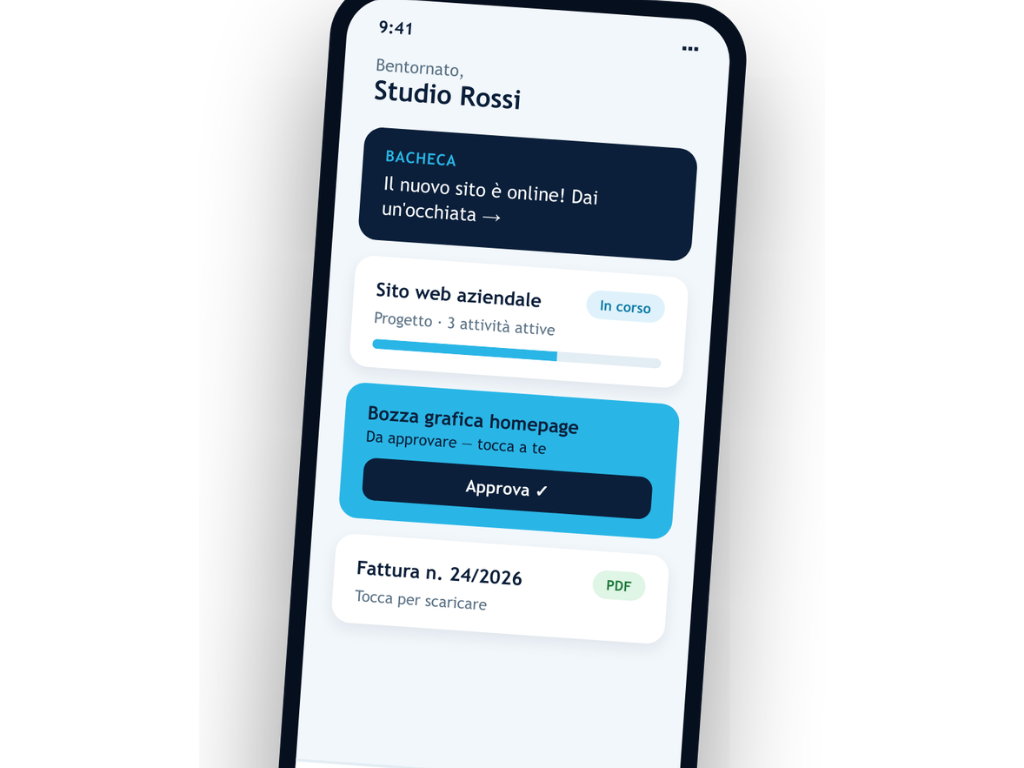
Your work with us, always with you: real-time access to projects, tasks, documents, quotes, and invoices — the exact data we work on, no copies, no outdated versions.
Your work with us, always with you: projects, tasks, and documents updated in real-time.
Quotes, tasks, and invoices: approve everything with a single tap, no emails or phone calls.
Shared documents and PDF invoices always at your fingertips, on iPhone and iPad.
Each client views exclusively their own data, backed by secure and encrypted connections.
Status and progress of your projects always up to date, even on the move.
Every task requires your approval, featuring clear and immediate notifications.
Quotes and contracts accessible anywhere, with no scattered copies or loose files.
Send requests and messages to the team directly from the app, without waiting for emails.
TechMucho Hub is your secure area to track your work with us in real-time: projects, tasks, documents, quotes, and invoices always at your fingertips.
Projects, tasks, documents, quotes, and invoices always with you, on iPhone and iPad.
The time we dedicate to understanding your needs is not a separate cost: it is reserved for TechMucho clients on ongoing management plans.
Club members’ requests skip to the front of the queue. Faster response times, always.
A direct contact for urgent matters that can’t wait for an email.
Dedicated pricing conditions on new TechMucho projects and services.
The brand enjoys an excellent reputation as trust and transparency are always at the core of all our work.
Everything you need to manage your collaboration with TechMucho in a single screen.
Do you already have an active contract or service? The app is included for you! Write to us on WhatsApp or call us: we will activate your access within the day.
Request activation — Access is personal: we prepare it for you and send you an email and temporary password.
Open the app and log in — Enter the credentials you received on your iPhone or iPad.
Choose your password — Use “Forgot password?” to set your very own password. From that moment on, the account is entirely yours.If you want to explore all the features before getting started, you can also download the informative PDF brochure.
Tell us what you need: if we start an ongoing collaboration, access to TechMucho Hub is already included.
No. TechMucho Hub is included at no extra cost for all TechMucho clients with an active management plan.
Fill out the form on this page or write to us on WhatsApp: our team will check your status and send you your invitation.
Currently, TechMucho Hub is optimized for iOS devices (iPhone and iPad). The web version is always available for Android and desktop.
Yes, the app uses secure and encrypted connections: every client exclusively views their own data and projects.
You can request the reset directly from the app’s login screen or contact our support.
Yes, inside the app you will find the “Requests” section to send us new ideas or needs at any time.
You can request contact to present your company and become a TechMucho client: by starting a collaboration, you will immediately unlock access to TechMucho Hub.